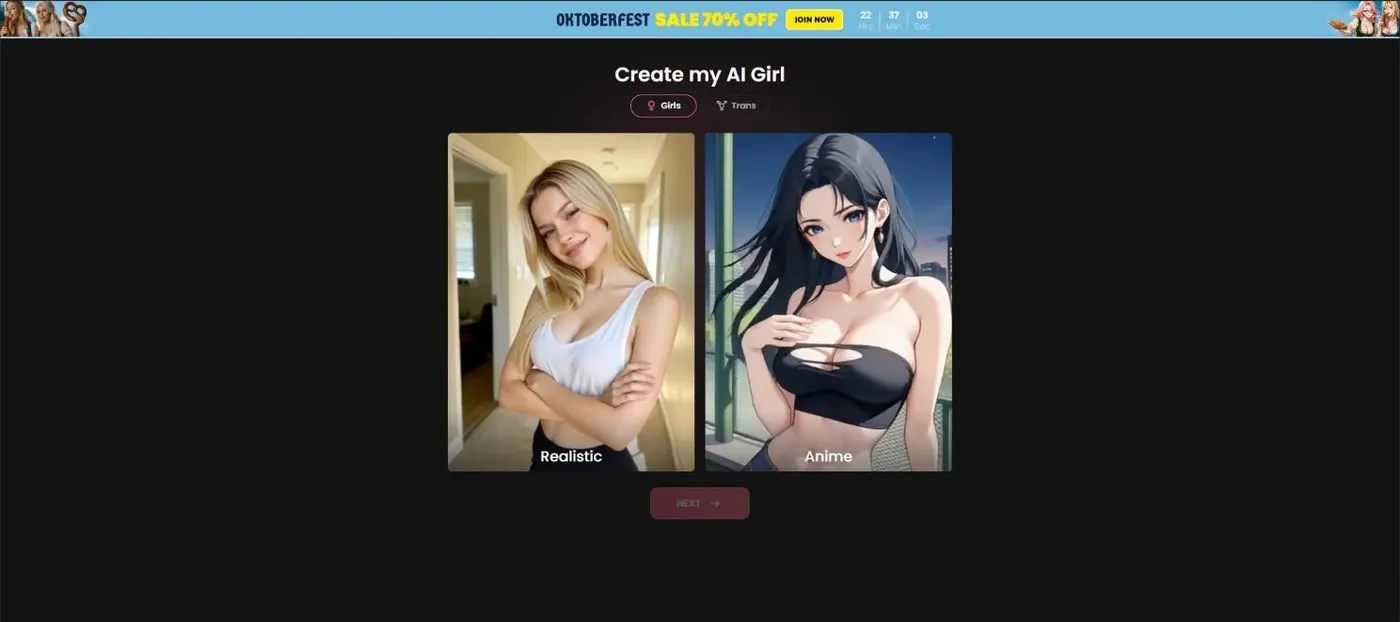
Create Character is Candy AI’s tool for building your own adult AI girlfriend. You choose Girls or Trans, then Realistic or Anime, then ethnicity, age (18 to 55+), hair, eyes and body. The last steps set a name, personality, relationship, occupation, up to three kinks and a voice. Building one needs Premium, which includes 100 tokens a month. Plan prices are in the pricing guide.
Step one: Girls or Trans, then Realistic or Anime
The first screen of Create my AI Girl asks two questions. You pick Girls or Trans, then Realistic or Anime. The second choice changes some later options, such as the hair colors on offer, so set it on purpose. The first screen sets the path, so read both options before you click.
If you want an anime look, the Anime path is the one to take. The AI anime guide covers the anime cast Candy already runs, which makes a good reference before you design your own.
On a free account you can see these early choices, so you can check the flow before you pay for anything. The screenshots for this guide come from those first steps.
Step two: ethnicity and the age slider
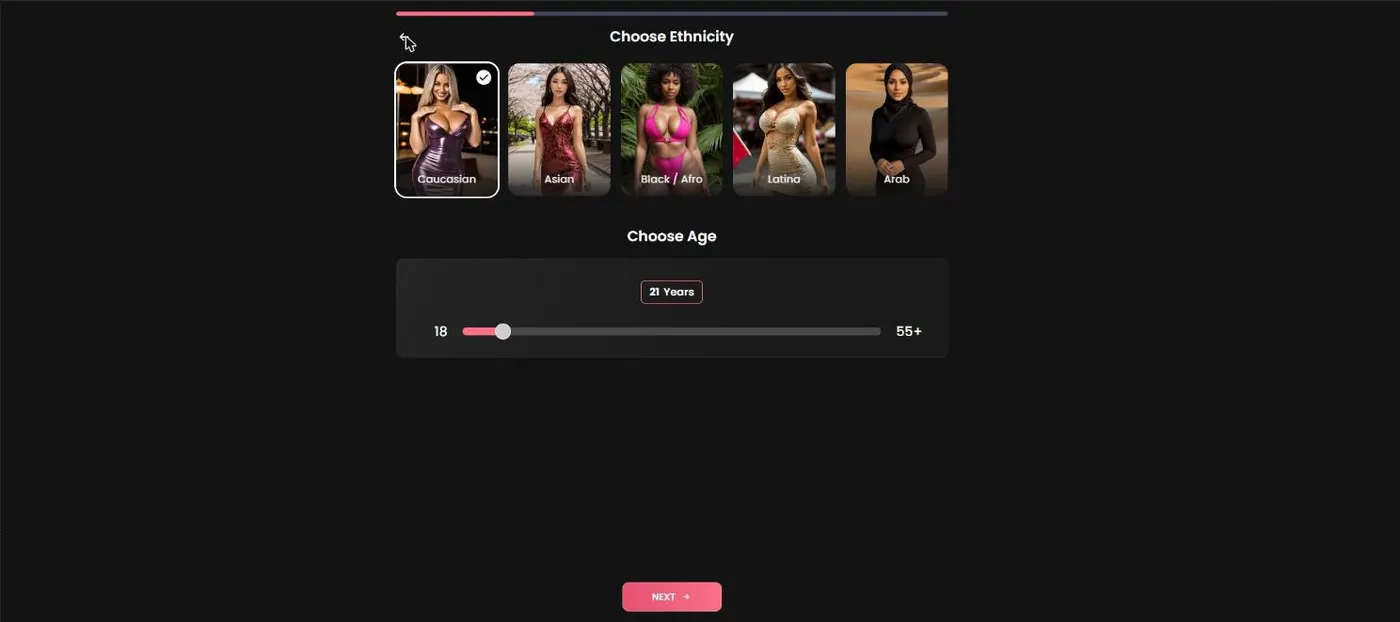
Ethnicity offers Caucasian, Asian, Black/Afro, Latina and Arab. Pick the option that matches the look you have in mind, then move on to age.
The age slider starts at 18 and runs up to 55+, with 21 preselected. The floor is 18, so every character you build is an adult by the tool’s own limits. For a sense of range, Veronica Parker is listed at 55 and Mona Newman at 19, and both are adults on Candy.
Set the age early, since the body options come two steps later. If you have no preference, the 21 default is a reasonable starting point, and you can move the slider from there.
Step three: hair, eyes and color
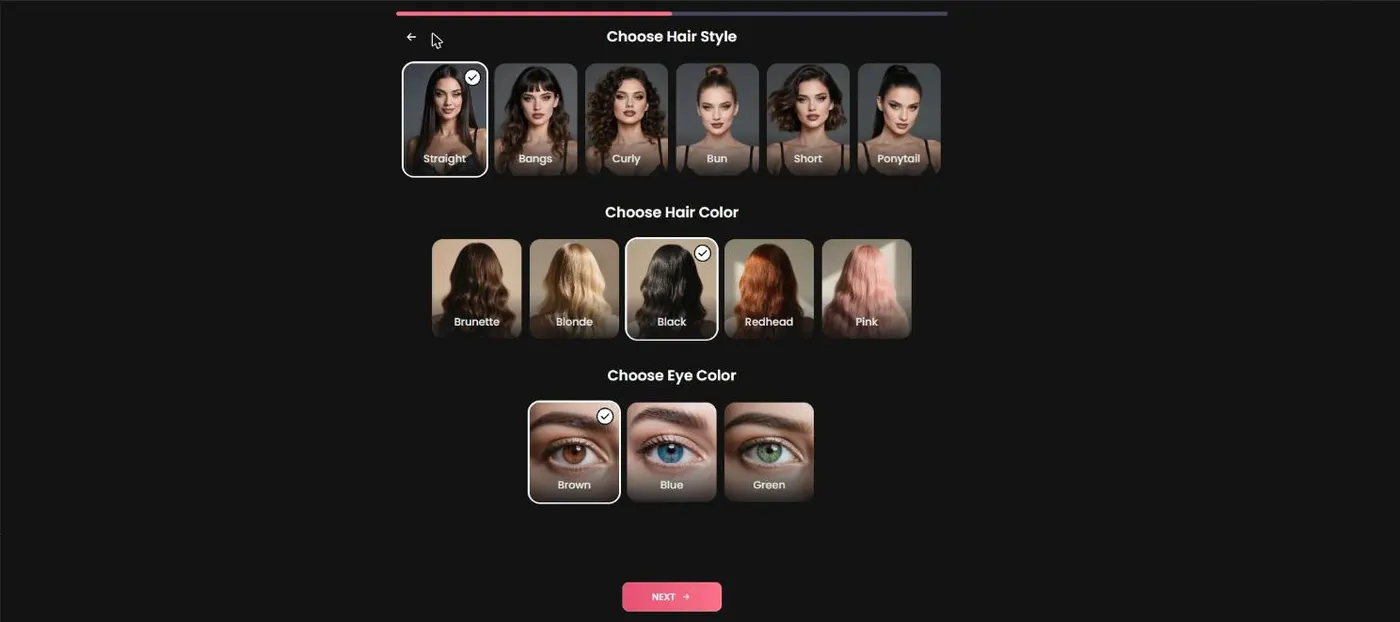
Hair style comes first, with six options: Straight, Bangs, Curly, Bun, Short and Ponytail. Hair color follows. On Realistic characters the list is Brunette, Blonde, Black, Redhead and Pink, and Anime characters get a wider palette. Eye color is the last choice on this screen. Hair and eye color are the first details you notice, so take your time with them.
Realistic and Anime differ most in this step. If a color you expected is missing, check which style you picked in step one before you assume something is wrong.
Pick the look first, then the details. It helps to settle the look before you fine-tune the rest.
Step four: body type and breast size
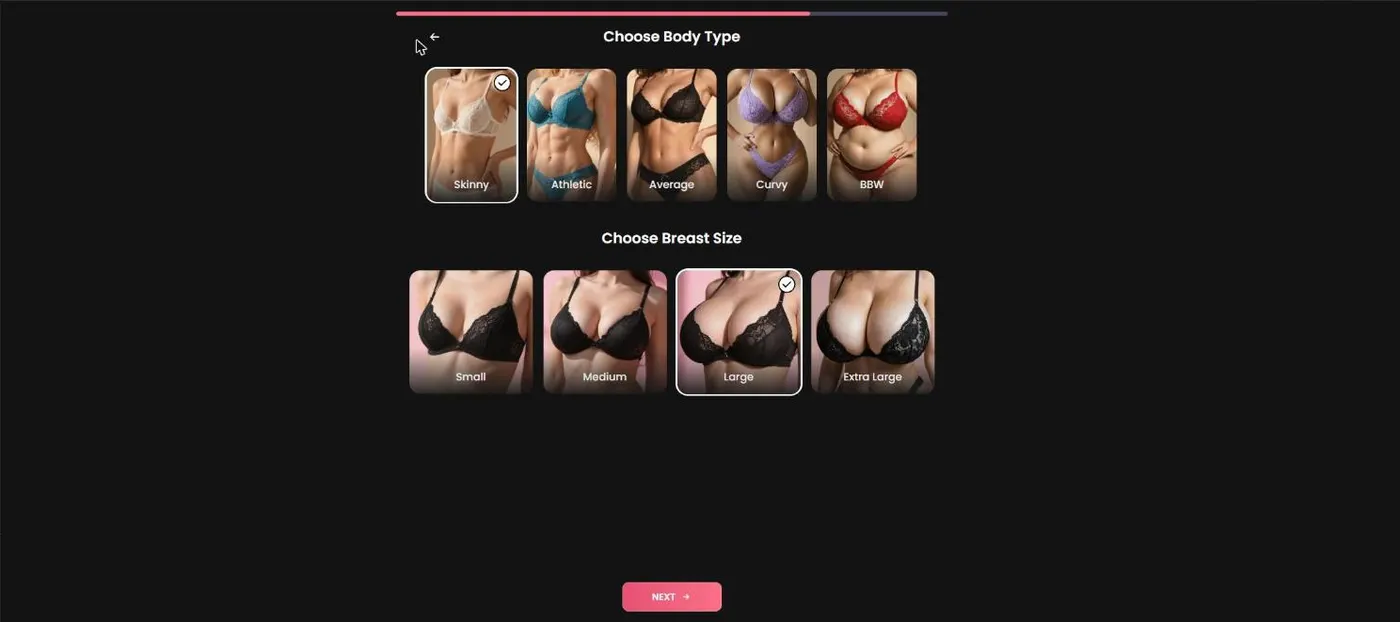
Body type offers Skinny, Athletic, Average, Curvy and BBW. Breast size follows, with Small, Medium, Large and Extra Large. These are the last visual choices before the personality steps.
Take them in order, since body type sets the shape and breast size refines it. Once these are set, the flow moves on to the name and personality. Keep these choices consistent with the personality you plan to write, so the character reads as one person.
If you are building more than one character, write down your choices for each step before you start. A quick note makes it easy to repeat a look or change one choice without guessing what you picked before.
Name, personality, relationship and voice
After the look, the flow asks for a name. Candy suggests one at random, and you can change it. Then come personality, relationship, occupation, up to three kinks and a voice.
Before you start, decide the three things that matter most: the style, the age and the two or three personality traits you care about. Three kinks is the cap, so pick those last and keep the list short. A short list is easier to scan later. Write the personality in plain words, one trait per phrase, so it is easy to read back.
Candy also runs a male creator with a nine-step progress bar, so that flow is longer. If you are building for the male side, the AI boyfriend guide covers those characters.
What it costs and whether it is worth it
Building your own AI girlfriend is a Premium benefit, so you need a paid plan to finish. The annual plan is $3.99 a month, billed $47.88 a year. The three-month plan is $8.99 a month, billed $26.97. The monthly plan is $13.99.
If you want one character and then you are done, the monthly plan is the most expensive way to pay for it. If you plan to keep building or chatting, the annual plan is the better value across the year. Twelve months at $13.99 come to $167.88, against $47.88 for the annual plan.
If you are unsure, start with one character, see how the flow works for you, and then decide whether to build more.
Some Candy Shorts series end with a prompt to create your own character instead of a chat with the lead, and the series hub lists the shows.
Other Premium perks that come with it
Character creation is one item on a longer list. Candy’s Premium benefits are: create your own AI Girlfriend(s), generate 18+ videos, generate 18+ images, the Full Live Action Experience, unlimited text messages and 100 tokens a month.
The homepage also features Live Action characters, which lines up with the Full Live Action Experience perk. The character you build is one part of that list, so judge the plan on the whole list rather than on creation alone. If you mainly want to chat, the AI girlfriend chat guide covers what unlimited messages change, and the other guides cover the rest.
Strengths
- One flow covers look, personality, relationship and voice.
- The age floor of 18 is built into the slider.
- You can choose Realistic or Anime styles, with a Girls or Trans tab.
- A random name suggestion gives you a starting point.
Limits
- Building a character needs Premium, so plan on a paid plan before you finish.
- Kinks are capped at three.
- The screenshots stop at body type, so the naming and voice steps are described rather than shown.